As mentioned in our previous blog, e-invoicing via Peppol will be mandatory for Belgian companies as of January 1, 2026. Agromanager offers both basic and premium users the option to invoice via Peppol.
Growers who currently create their invoices in Excel or Word will need to switch in the coming year to comply with the mandatory Peppol invoicing starting January 1, 2026.
Agromanager’s invoicing module is ready to support this!
To ensure smooth invoicing, it’s important to correctly set up your 'Peppol Scheme' and 'Peppol ID'.
You can configure these in the Agromanager system via My Company → Company Details → Invoicing Information.
Two new fields have been added here: Peppol Scheme and Peppol ID. The latter is unique for every company and corresponds to your VAT number.
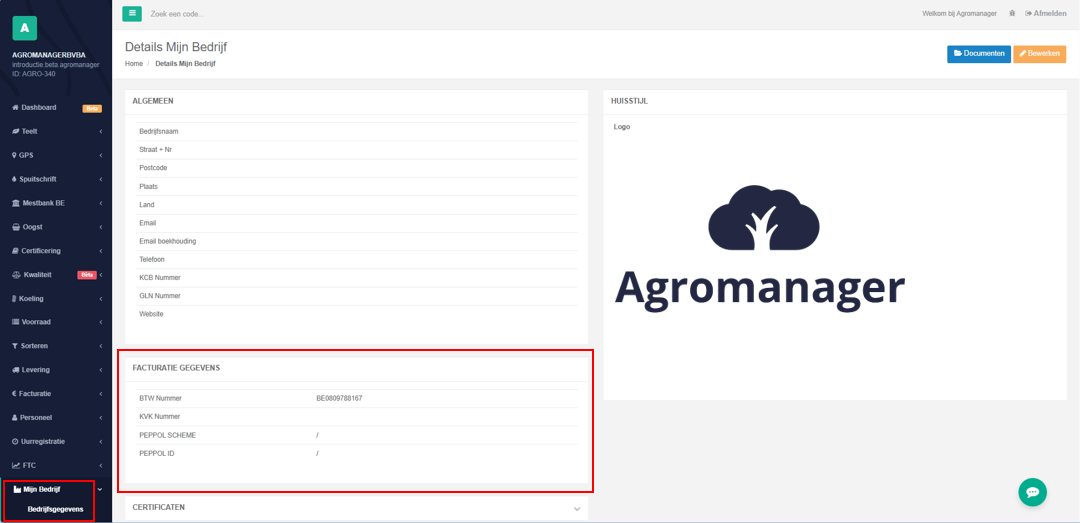
You can find both values by clicking the orange "Edit"-button in the top-right corner of the page.
In the Invoicing Information section, click the dropdown arrow in the Peppol Scheme field.
A list of options will appear — in most cases, you'll select Belgium VAT number (9925).
Then, enter your Peppol ID, which is your VAT number.
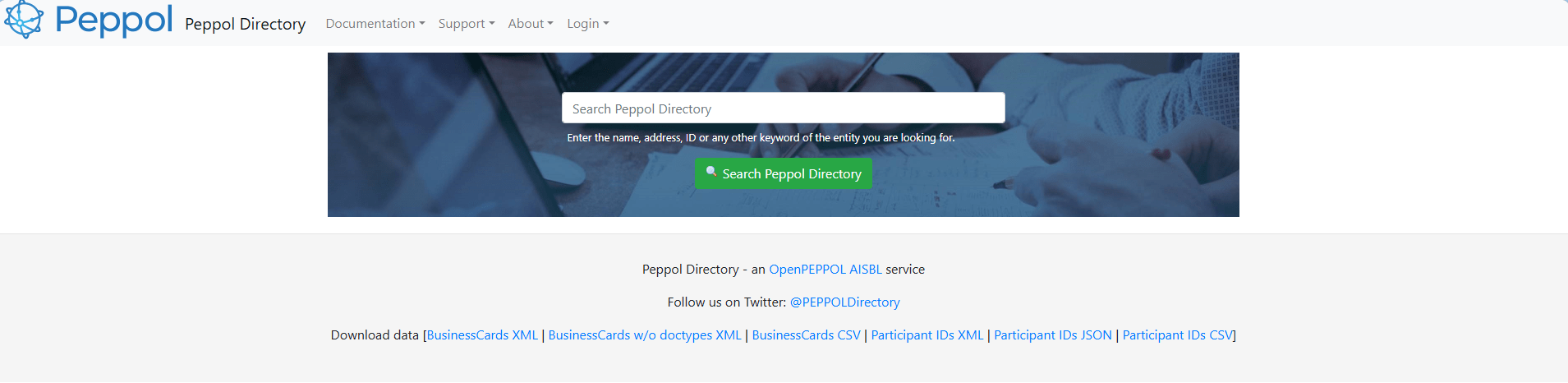
If you’re not sure what it is, you can click the link at the bottom of the section: "More information can be found on the following website."
There, you can enter your company name. A block will appear showing the Participant ID: "9925:be...."
The code after the second colon, starting with be, is your Peppol ID. Note that it is case-sensitive.
If there’s a typo, the system will display an error message.
If entered correctly, your company name will appear in a green box next to the Peppol ID.
Then click the green "Save"-button above the invoicing section to save the details.
You can look up your customers’ Peppol IDs the same way. In Agromanager, go to My Company, then select Contacts.
When you click a contact, choose Details on the right. The invoicing section will appear again, and you can follow the same steps as above.
All users of Agromanager can use the invoicing program for free. Creating invoices and sending reminders are standard features. Additionally, multiple companies can be created per program. You can select customers, add products with units, and specify the quantity in kilograms.
Saved invoices are listed where you can track their status: draft, open, paid, or credit. Sending reminders through the system is straightforward. All actions are recorded in the LOGS section.
Previously, the default delivery method was 'PDF via Email'. Now, it’s also possible to choose 'Data via Peppol'. The invoice overview shows the status of an invoice, along with the date, due date, customer, VAT number, processing, and actions.
In the processing column, icons indicate what has happened to an invoice: sent via email or Peppol, printed, or something else. For users of Agromanager's invoicing system, not much changes, except that Data via Peppol has been added as a delivery method.
With this, you're prepared for the mandatory requirement starting January 1, 2026.
Do you have any questions, or would you like to create an invoice together with the Agromanager support team? We’d be happy to schedule that with you!